
Docs / Talk & collaborate · Everyone
Contacts
See who is on your team and who is available right now, and keep the people you call outside the company close to hand.
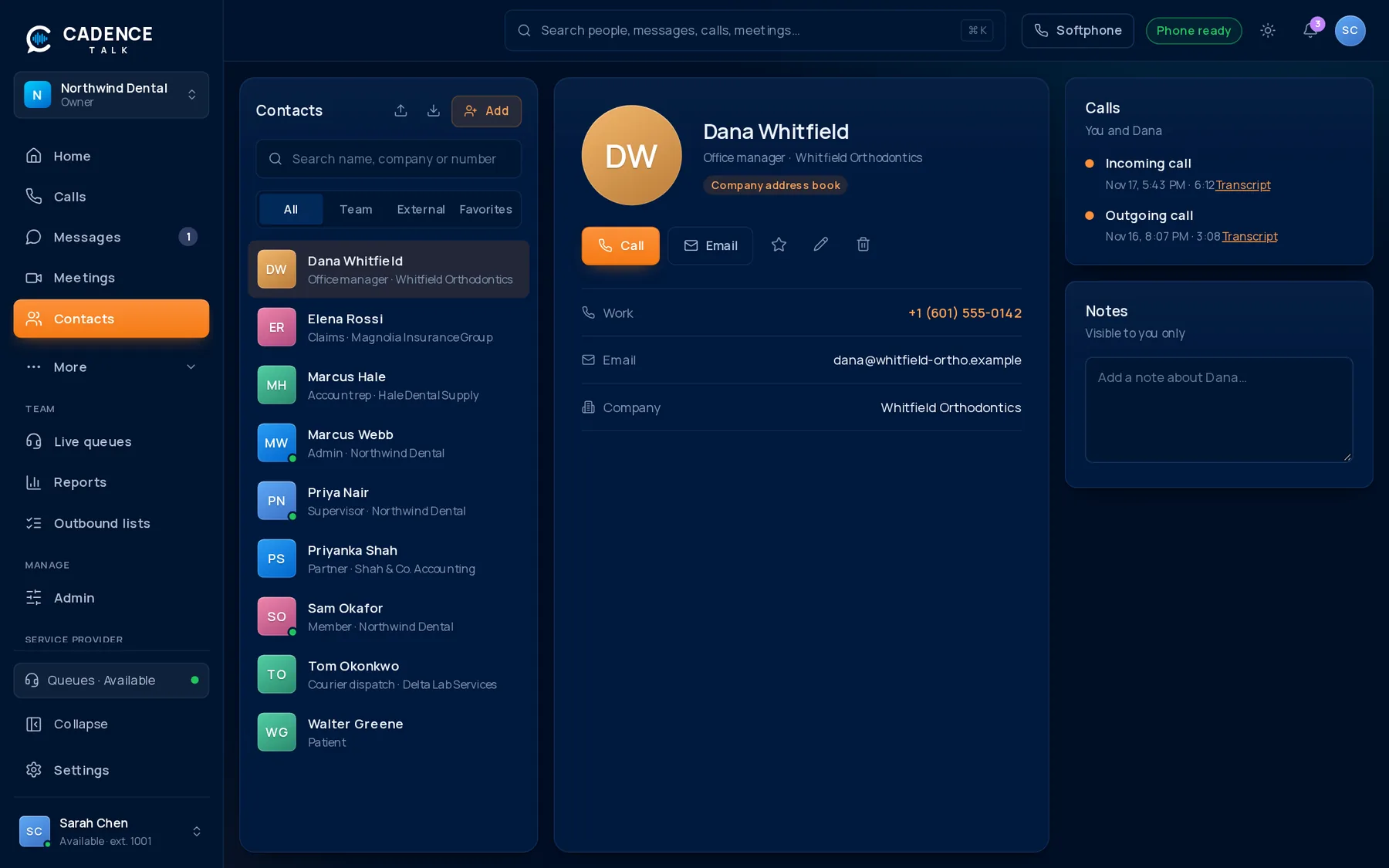
1Find anyone fast
DW
Dana WhitfieldWhitfield Orthodontics
MH
Marcus HaleHale Dental Supply
ER
Elena RossiMagnolia Insurance Group
TO
Tom OkonkwoDelta Lab Services
- Search by name, company, phone number or email.
- Colleagues show their live status: available, on a call, away or do not disturb.
- Click a person to call, message or start a meeting from their card.
2Outside contacts
Add the people you call outside the company: customers, suppliers, partners. A contact can have several phone numbers, an email, a company and a job title. When they call you, their name and company appear on the incoming call, so you know who it is before you answer.
Contacts you add are yours. Anyone at the company can still see colleagues in the directory.
3Recent history
A contact’s card shows your recent interactions, so before you call back you can see what you talked about last time, including the AI summary of the call when it is on.