
Calls
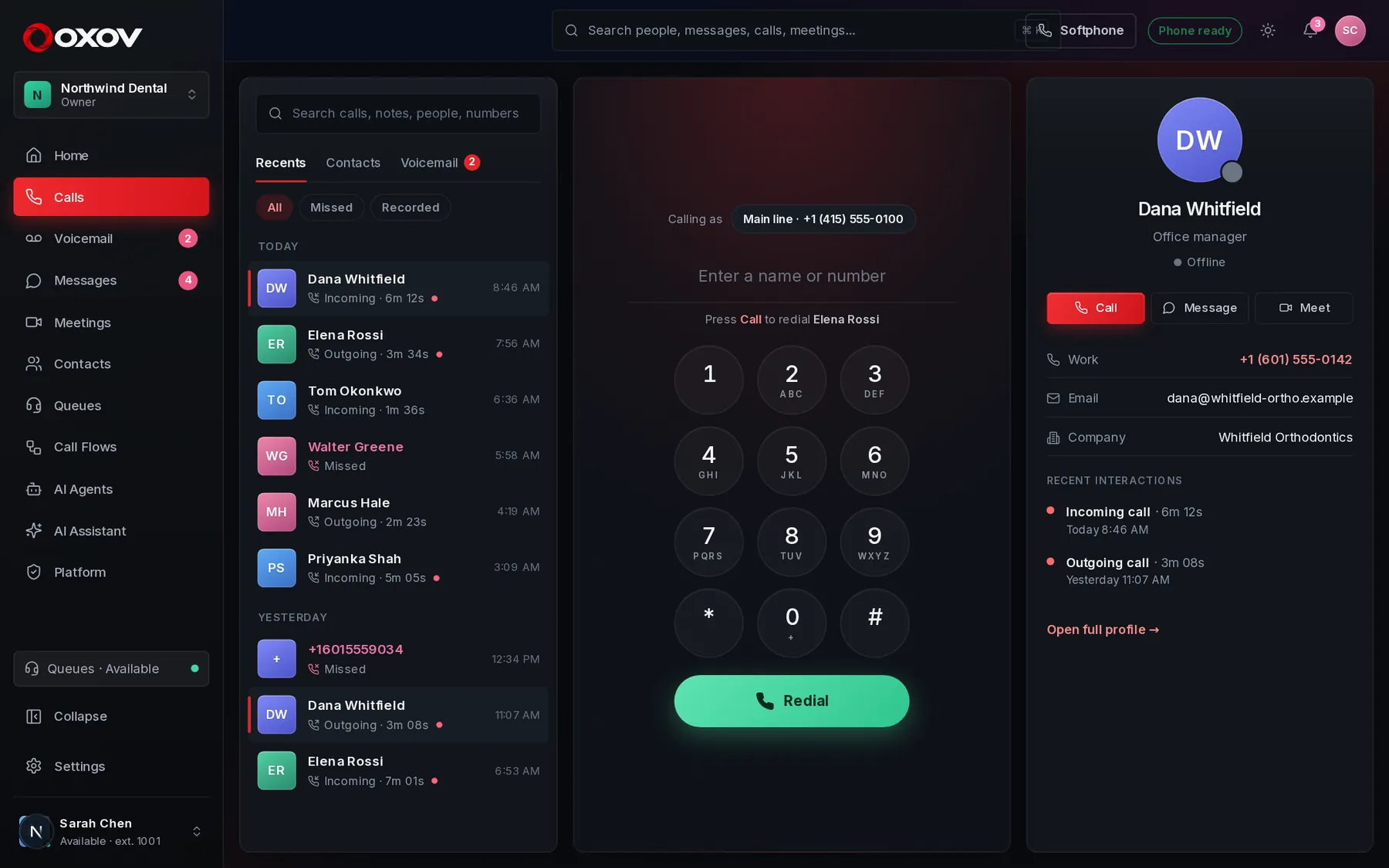
The softphone is built into Cadence Talk. Your extension rings in the browser with HD audio, and your business number shows on outgoing calls.
 1234
- Recents with filters for All, Missed and Recorded. Favourites sit on top for one-click calling.
- The dialer. Type a name or number, or use the keypad.
- “Calling as” shows which of your numbers the other person sees.
- The contact card: call, message or meet, with your history together.
1Make and answer calls
Making a call
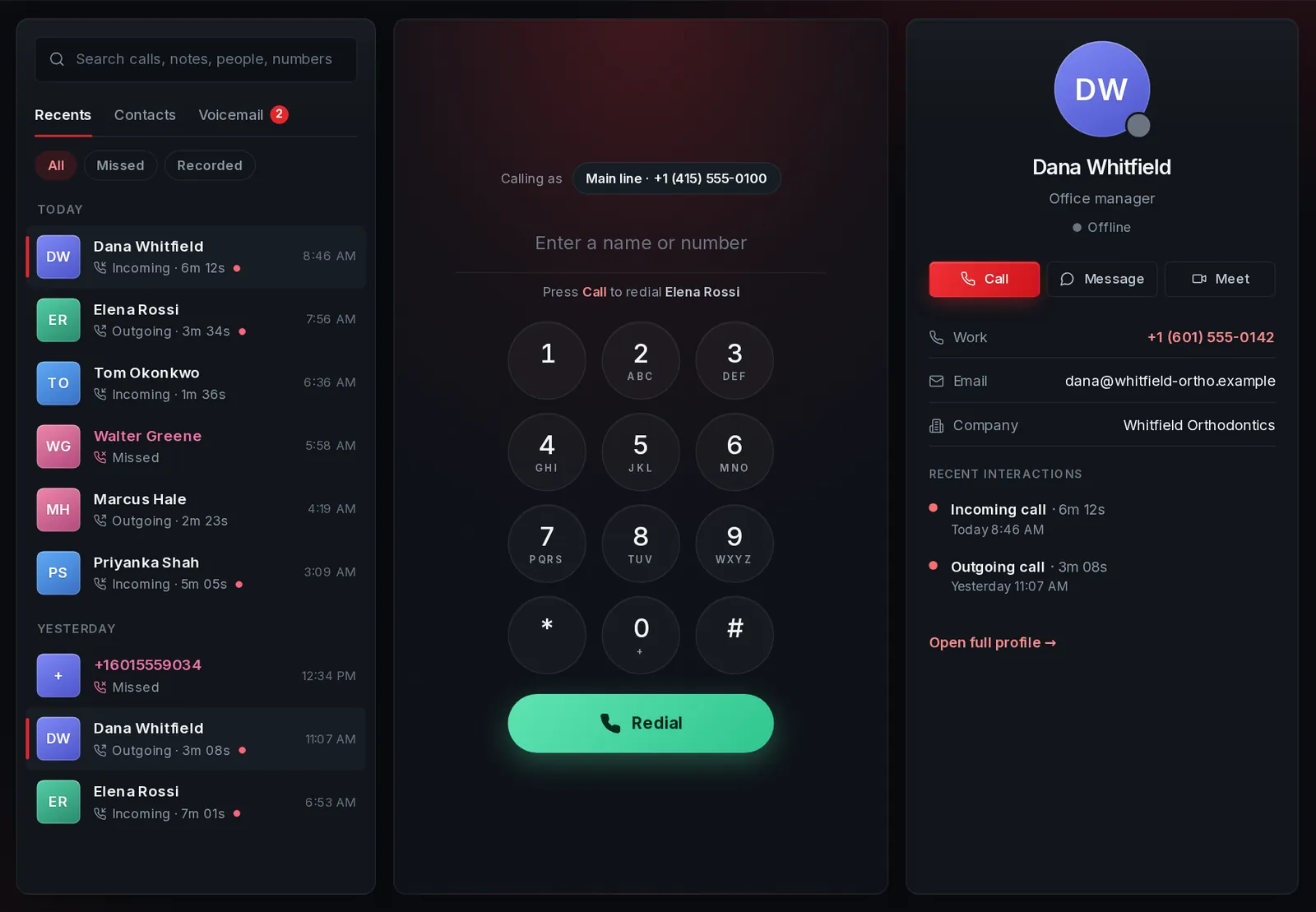
Type a name or number into the dialer and press Call. As you type, matching contacts and teammates appear. Press Call again with an empty box to redial the last number.
- Pick which of your numbers shows as caller ID under Calling as.
- Calls to a colleague’s extension ring all of their signed-in devices.
- Emergency numbers are never dialled by accident: Cadence Talk tells you to use a regular phone.
Answering
An incoming call pops up wherever you are in Cadence Talk with the caller’s name and company. Press Answer and the call connects in a moment, with a “connecting” state so you know it is working. Press Decline to send it to voicemail.
- The call screen follows you to any page, so you can keep working.
- Do not disturb sends callers to voicemail without ringing.
2During a call
The call controls sit under the caller’s name.
| Control | What it does |
|---|---|
| Mute | Stops your microphone. The other person cannot hear you. |
| Audio | Switch headset, microphone or speaker without hanging up. |
| Keypad | Press numbers for phone menus (“press 1 for sales”). |
| Hold | Puts the other person on hold with music. Resume when you are ready. |
| Transfer | Blind sends the caller straight away. Attended lets you speak to the new person first, then Complete transfer. |
| Add call / Merge | Call a second person, then merge everyone into one three-way conversation. |
| Park | Parks the caller in a slot. Anyone can pick them up from another phone. |
| Notes | Type notes while you talk. They are saved to the call. |
3After the call
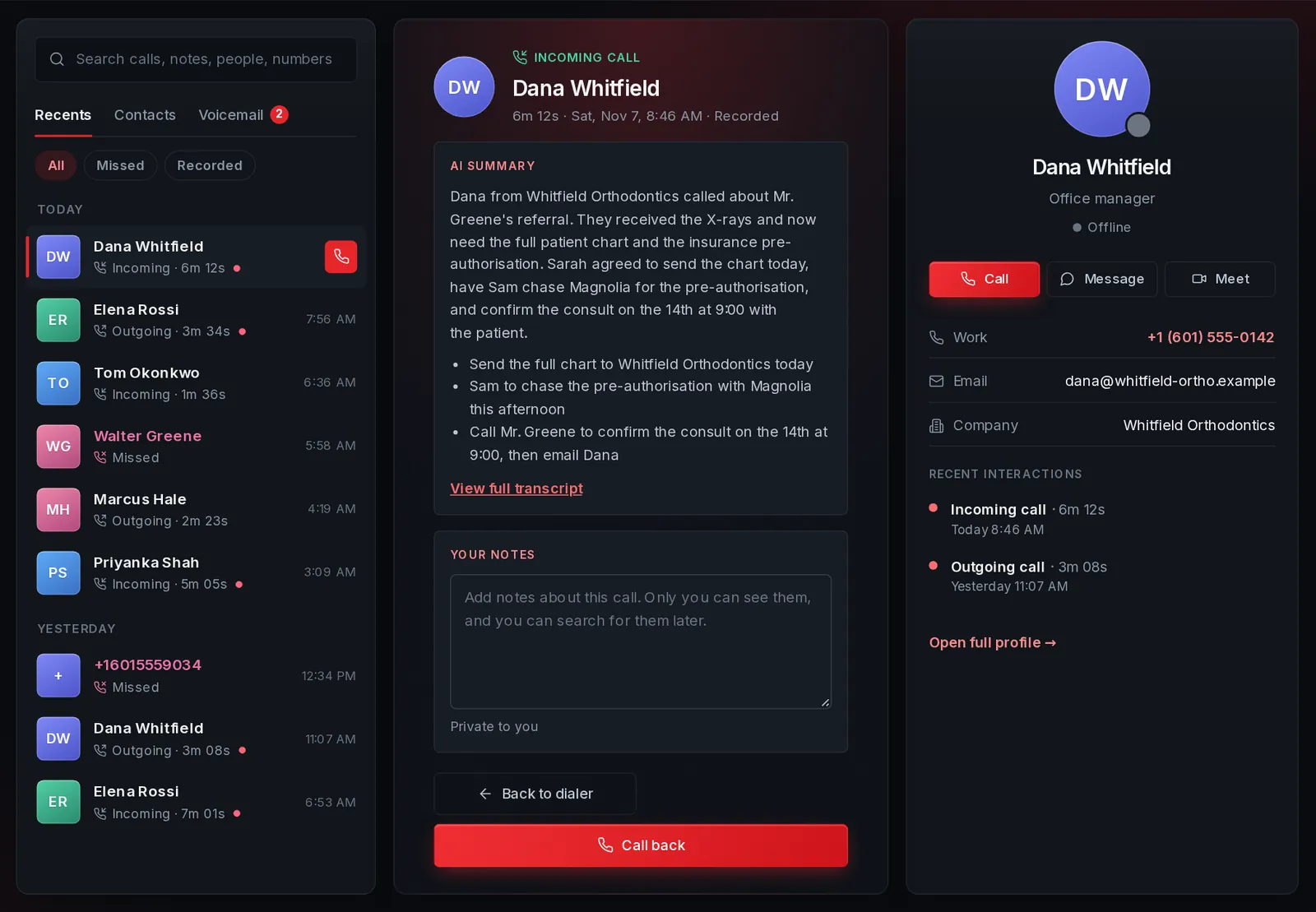
When you hang up, a short wrap-up appears with the call recap and a notes box, so you can capture next steps while it is fresh. Later, open any call from Recents to see its details.
- Open the callClick it in Recents on the Calls page, or from Home.
- Read the summaryThe overview, action items and topics are at the top. The full transcript is one click away.
- Add your notesNotes are private to you. They are searchable later with Ctrl K.
4Calls from a call list
If a supervisor has given you a call list, a switch appears at the top of this page: Dialer (what opens by default) and My call list. The list shows the next person to call and the reason. One click dials them, and when you hang up you record how it went. See Call lists.
5Your history and favourites
- Recents groups calls by Today, Yesterday and earlier this week.
- Filter to Missed or Recorded calls in one click.
- Star people to keep them under Favourites for one-click calling.
- Search the box at the top for names, numbers, your notes, and (with AI on) words from transcripts.